
Start with a song.
Fifty genre starters plus three arranged feature demos. Load through Projects, keep a copy, change everything.
KID BUNKA / POLYEND TRACKER MINI / 0.9
A sample-first playground with a tracker at its heart. Chop with intent. Grow a beat. Punch a hole in the ordinary.
Independent firmware. For the Tracker Mini. Built on Tracker Community Edition.
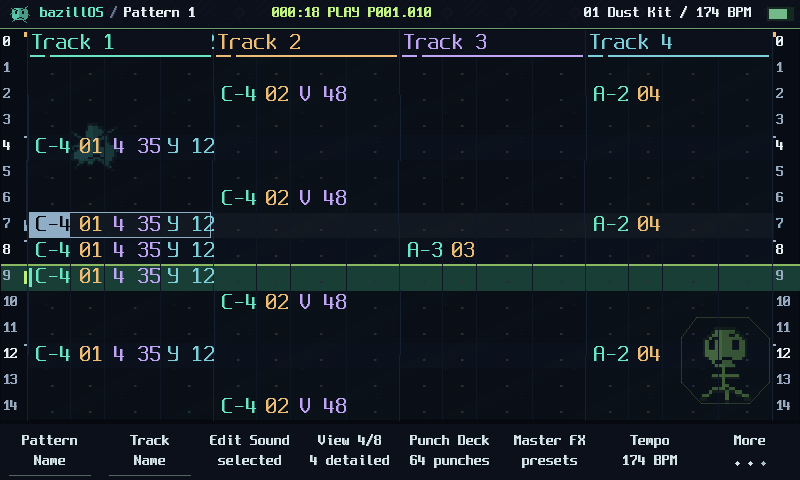
13 SECONDS / QUAD FM / A LITTLE DEMOSCENE DNA
Our splashscreen, an original QUAD FM mini-track and a small robot saying "Bazillos" - pronounced as one German word. Press Play intro for sound.
Web remix of the source-rendered firmware splash. Original 142BPM QUAD FM composition, rendered on the host. Synthetic robot ident. The Mini boot timing is unchanged.
Keep the little intro ↗THE INSTRUMENT, RE-CULTURED
New tools have their own menu destinations and direct Pattern shortcuts. Explore real source-rendered screens below.
CONTAINS CULTURE.
PLEASE DO NOT LICK THE SCREEN.
Fifty genre starters plus three arranged feature demos. Load through Projects, keep a copy, change everything.
Punch recipes across eight banks, with track targets, intensity, momentary or latch, and compact coder graphics.
QUAD FM joins DREAMS, TIDAL and CROSSBREED alongside the original synth engines. Presets are starting points; the controls remain yours.
NO LECTURE. JUST CULTURE.
Menus, new tools and musical games over Kid Bunka’s “0002french”. The film starts with music, visits all eleven synth engines and includes three extra demo previews. The UI tour and beat performance are independent.
Original production previews, not Mini recordings. Native projects are included in the demo download.
THE FIELD GUIDE / READABLE. SEARCHABLE. YOURS.
A 62-page illustrated English handbook covering the core Tracker Mini workflow and the bazillOS tools. Linked contents, all eleven engines, effects, clear routes and practical examples.
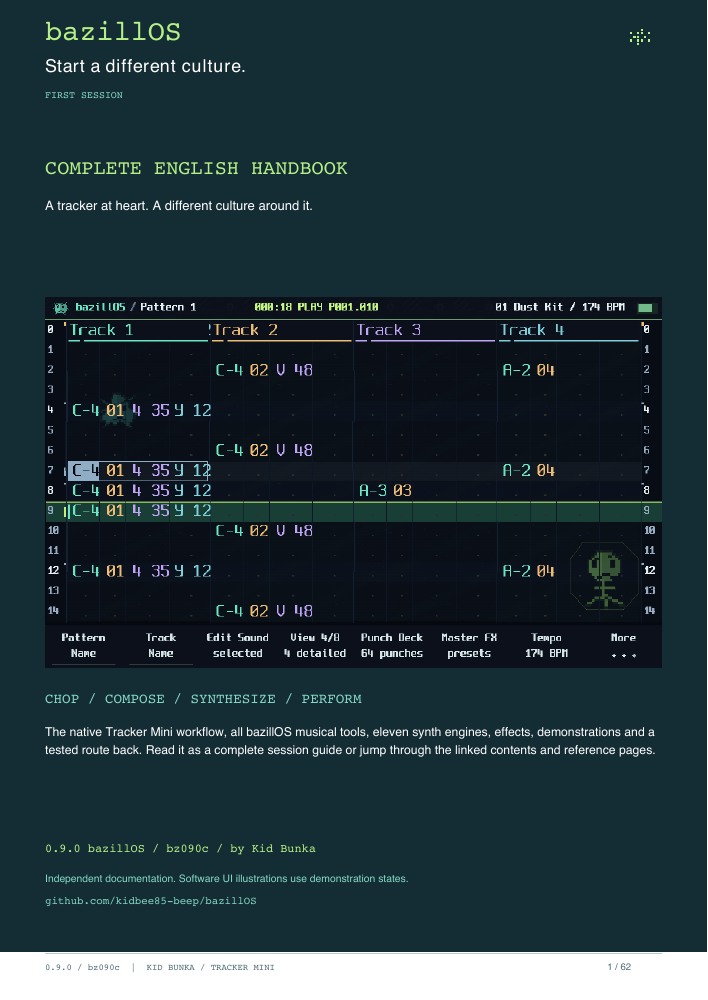
Projects, patterns, recording, samples, all playback modes, synth editing and macros. Drum Lab, the shared Chop workspace, Composer, Fill, Arcade Synth, Punch Deck and Master Lab. Native and added effects, parameter names, demos, troubleshooting and rollback.
Download the complete handbook ↗8-page quickstart ↗ Installation & rollback ↗
Independent original documentation, with source-rendered UI illustrations. No account or donation required.
A CLEAN WAY IN. A WAY HOME.
Save the session and make a computer backup, including Workspace and hidden files. Keep the original data for returning to stock firmware.
Extract the firmware pack. Copy its Firmware folder contents to the card’s Firmware folder. Add Themes and Fonts only if wanted; merge folders.
Safely eject, insert in the powered-off Mini, then use Config → Firmware. Select TrackerMini_bz090c.ptf and let the updater finish.
Expected: 0.9.0 bazillOS / bz090c. Start with a known project copy. Keep a known original Mini firmware image and its matching original data.

Return to original Mini 2.2.1 was tested in this project, with normal interface and project audio confirmed afterward. Keep a complete original card backup and a verified Mini updater.
Firmware rollback and restoring original project data are separate. No updater can promise recovery from every hardware fault.
Reinstalling stock firmware restores the software, not a previous SD-card state. Restore original projects and Workspace from the original backup separately. CE-format patterns and custom engines are not converted backwards by a firmware change.
The installation PDF links the official model-specific recovery instructions. It does not replace the bootloader or write firmware from your browser.
GET THE CULTURE
Firmware, optional projects and matching source. Read the installation guide first.
Choose an extracted .ptf. The SHA-256 check runs in this browser; the file is not uploaded.
Tracker Mini only. 48 independently adjustable sample slots. Two Step FX columns. Three synth parts sharing the native eight-voice budget. Most compound Step FX and Punch Deck target sample tracks; SPACE also supports internal synths.
TIDAL, CROSSBREED and Spore Dice adapt selected algorithms; they are not complete module ports. CROSSBREED has no vocoder. OG/Tracker+ ports and a third FX lane are outside 0.9.
Independent project, no manufacturer endorsement. Source-available CE terms apply alongside the original component licences; the Polyend binary libraries remain hardware-restricted. Credits and full licence texts accompany the source.
TESTED WITH MUSIC / REPORTED WITH CONTEXT
Recent user-reported sessions ran without crashes across the tested playback, performance and save/load workflows. We keep device reports separate from software checks.
Familiar projects, multiple patterns, Save As/reload, repeated project switching, synth auditions, Arcade capture/Undo and Punch holds/latch/release were exercised. Drive, echoes and rolls were compared at 75% and 100%.
The returned 40-case review recorded 38 passes and two issues. Follow-up checks confirmed the grouped menu, sample fallback and synth icons. The final bz090c check also passed: Composer keeps its controls through repeated Play/Stop and a 70-second preview, then returns normally to Pattern.
Controller regressions, bounds, named menu pages, real font/icon drawing and ARM memory/linker checks. These checks support the build; they do not replace real hardware timing or every external setup.
Grouped culture menu with named subpages; reliable synth-to-sample entry; semantic synth icons; unified access to Chop Studio, Slice Lab and Chop Patterns. Composer keeps its controls during transport notifications and continues through workspace autosaves.
Phosphor UI, 4/8-track view, global swing, ready PERC drums and compact writes, 11 synth engines, 64 Punch recipes with balanced controls and coder accents, 12 compound Step FX, musical Arcade capture, Master presets and 50 starters plus 3 feature demos.
Mini only. 48 sample slots, two effect columns, three synth parts and the native shared voice budget. Original backups remain necessary for returning to stock projects.
Full release notes ↗THE CULTURE GROWS WITH YOU
Feedback, useful bug reports, patch ideas and musical suggestions are always welcome. Tell us what you made, what surprised you, and what should become easier.

Include build, project/pattern and clear steps for a reproducible issue. Keep private recordings out of public reports unless you want to share them.
Support bazillOS via PayPal ↗Voluntary support for independent development. Firmware stays free. Feedback is welcome whether or not you donate.