Mutable DreamsDeutsch
For handhelds · by Kid Bunka

Mutable Dreams

A garden of sound that makes music by itself – and answers you.

Version 1.5.9 · first public release · GPL-3.0 · English and German

Mutable Dreams: the garden

A garden in your hands · the full film

6:40 of the garden, Sound Lab, played melodies, SELECT menu and Android touch layout.

Actual macOS app performance and original engine music. Synthetic English narration; English and German subtitles. The touch layout is a labelled still from the Mac preview.

Watch on YouTube · YouTube Short · Download the full film · 60-second reel

Tend it, and it answers

Mutable Dreams is a generative instrument. It plays by itself, the way a garden grows by itself. You do not need to read music or program anything: turn a dial, choose another Biome or play a note, and the music changes in a way you can hear and see.

6tracks, six plants
272Biomes
96worlds
18Sound Lab modules
10musical toys
24Plaits models
Garden

Garden

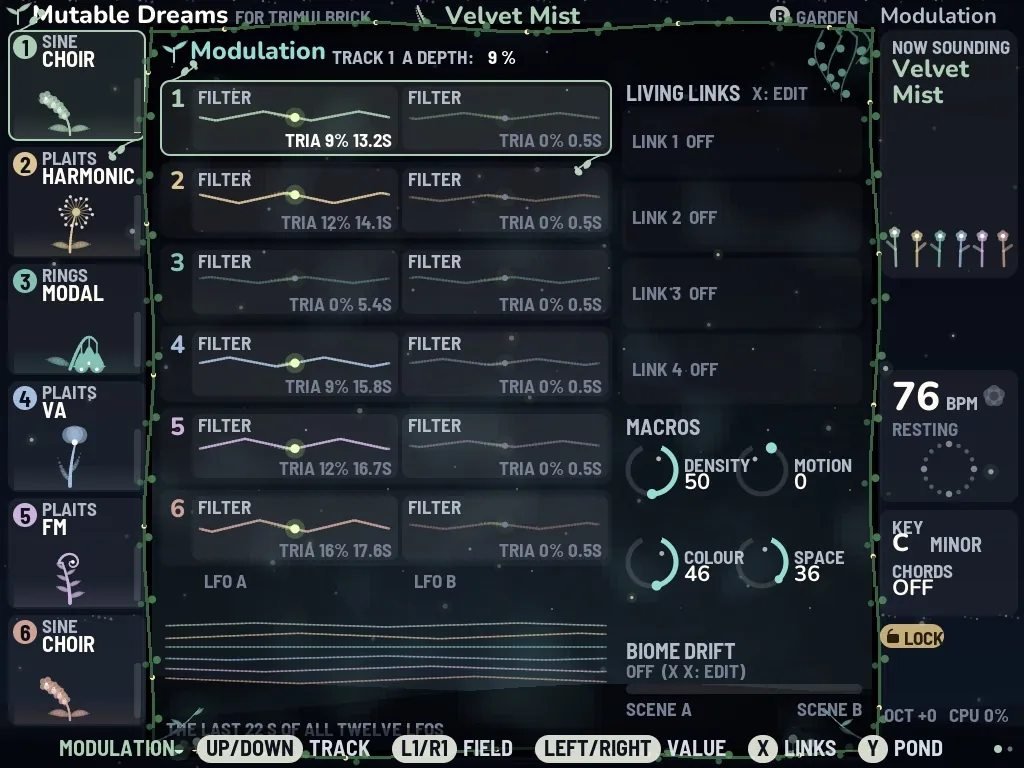
Six plants are the six voices of the music; four dials are its weather.

Sound Lab

Sound Lab

Synths, grain clouds, reverb, echo and resonators after Mutable Instruments.

Worlds

Worlds

96 ready-made scenes with their own tempo, sounds and a line of story.

Playground

Playground

Bouncing balls, planets, rain and pendulums that make music with you.

Alive, not a picture

These loops are recorded from the program itself: the garden, the space effects and the dream map.

The garden: plants bloom on each note, the pond ripples, fireflies follow the beat.
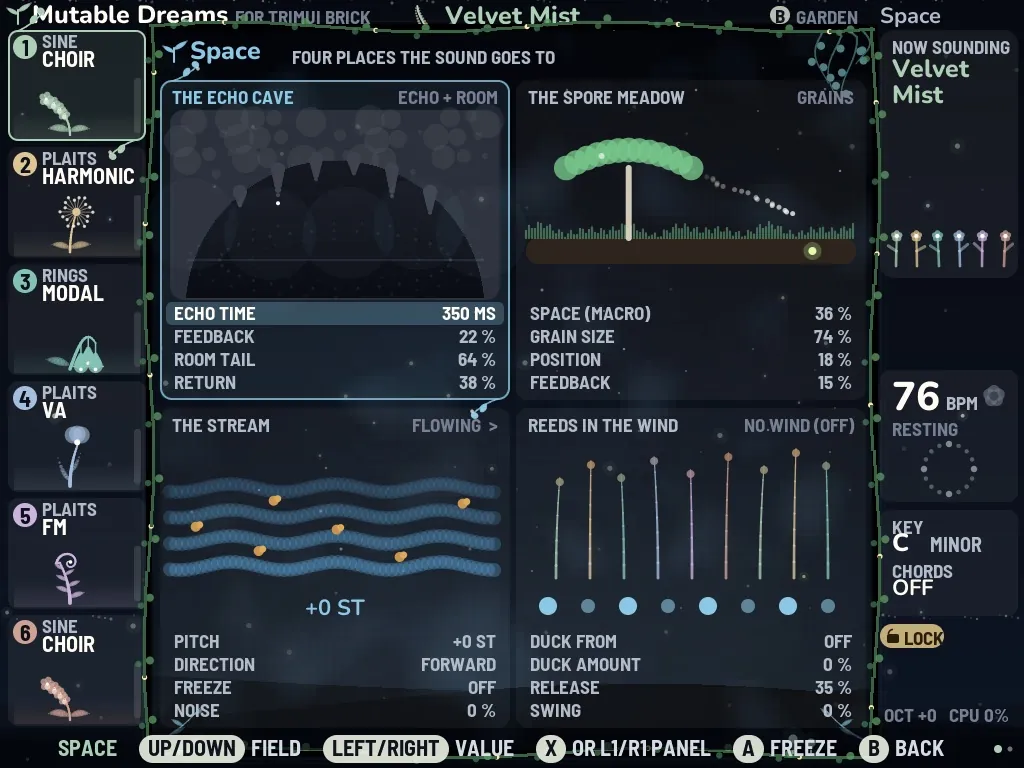
Space: echo, grain memory drawn as tape, reels whose speed is the pitch.
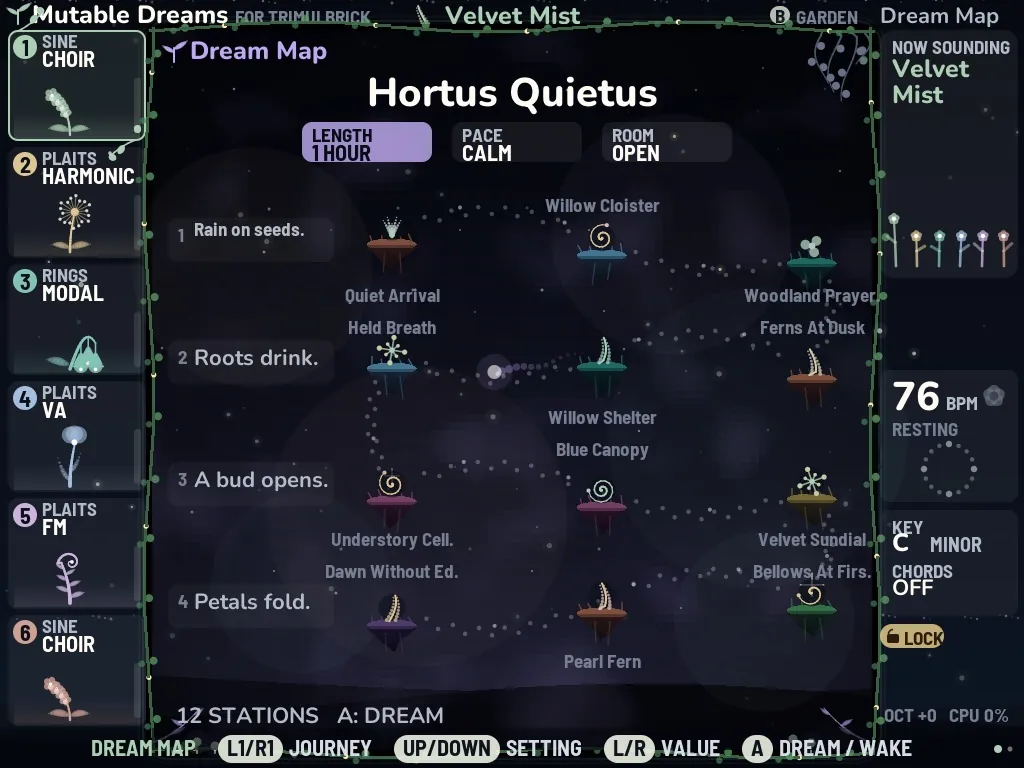
The dream map: a journey through Biomes, stations along a route of light.

Everything it can do

A tour of every part, with pictures from the program. The manual (PDF) goes deeper.

01The garden

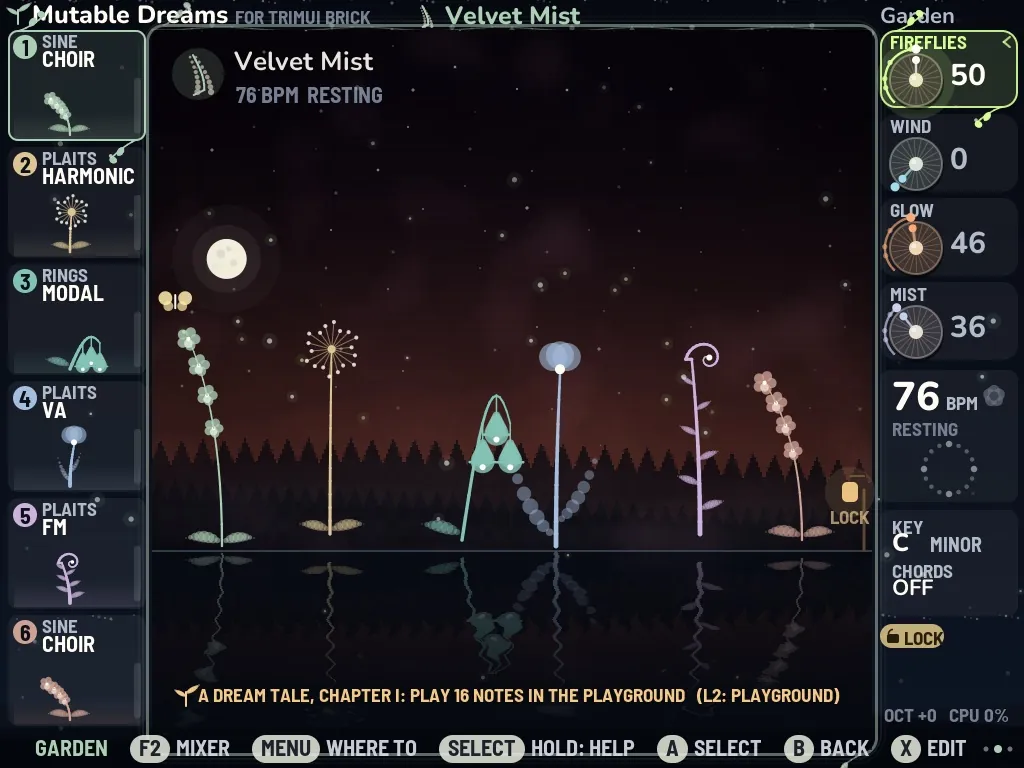
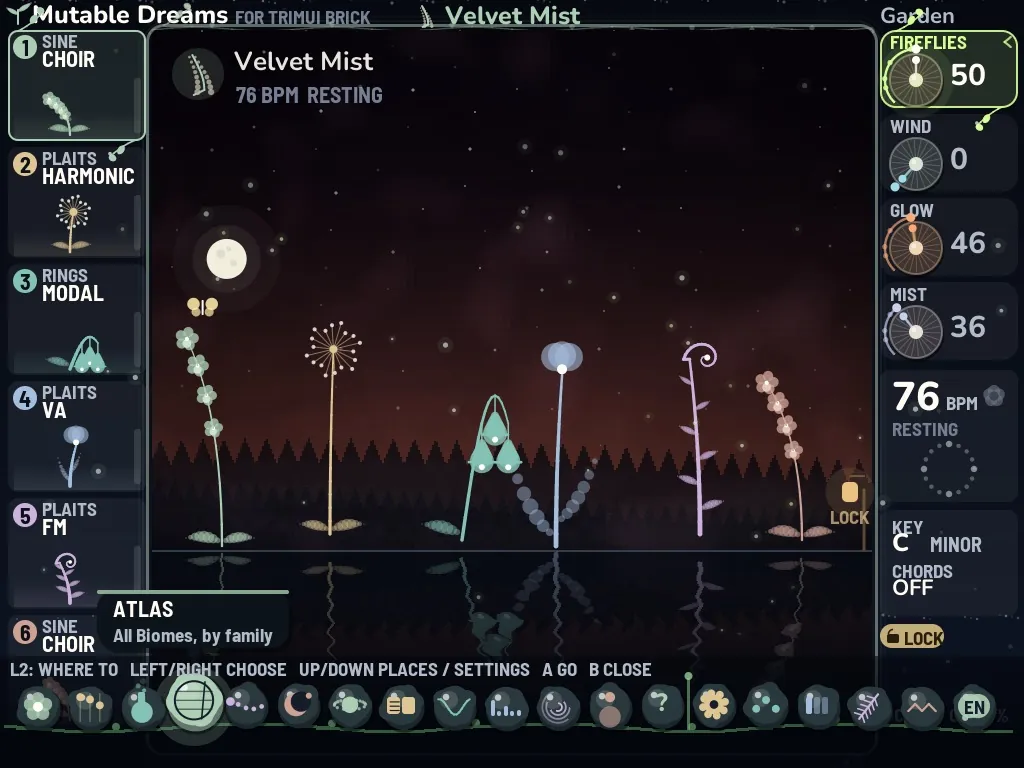
The garden is your home. On the left stand the six tracks, each with its number, its sound model and a plant; in the middle the garden itself grows. A plant grows with its track's level, blooms on each note and sends a spark upwards. A muted track slowly falls asleep. Four dials stand on the right: UP/DOWN choose one, LEFT/RIGHT turn it.

FIREFLIESDensity: how many notes are playedfireflies in the air
WINDMotion: how much the music changesthe plants sway
GLOWColour: dark or bright, soft or radiantthe light in the sky
MISTSpace: reverb and widthmist, and the mirror in the pond

Start with MIST: a little more space makes almost any Biome more dreamlike. If the music feels too even, turn up WIND.

  • Each note ripples the pond, and the fireflies light up on the beat.
  • FREEZE (R2 + B) ices the pond over and lets it snow.
  • In Biomes with an aurora, six ribbons flare with each note, rising higher for higher notes.
  • A frog jumps whenever RANDOM plays, and POLY's voices float as lanterns on the pond.
  • The Biome drift slowly turns night into dawn, and the moon becomes the sun.
The garden

02Quick bar and menu

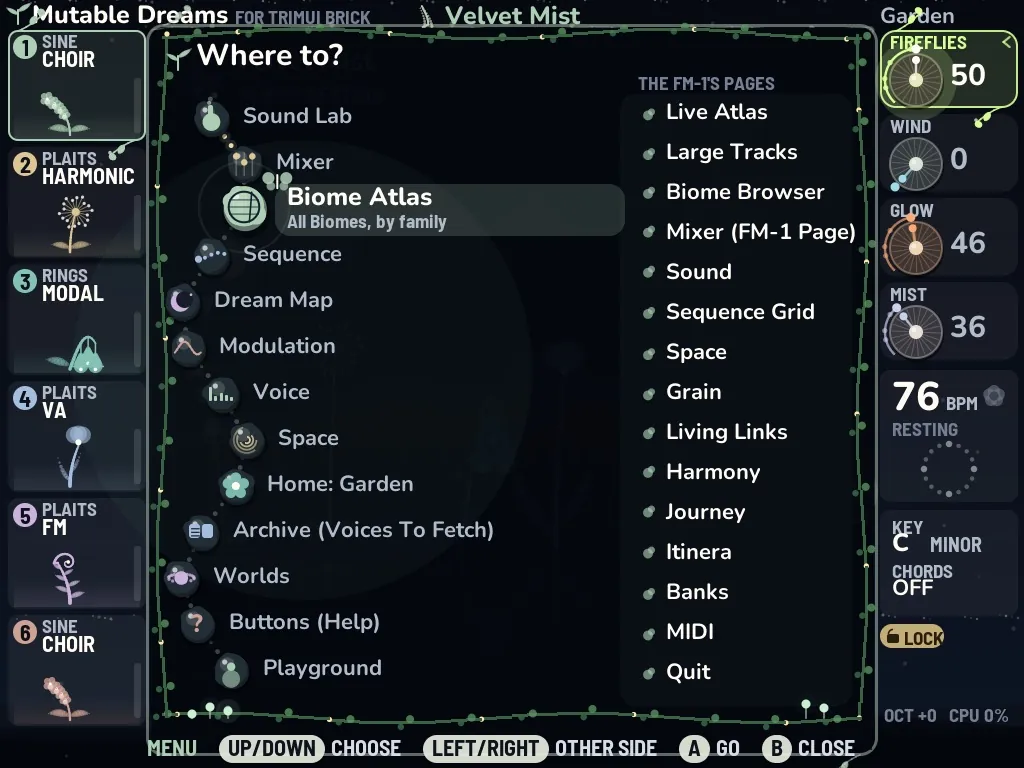
A short tap on L2 opens the quick bar: every place lies there as a living stone on a vine. LEFT/RIGHT choose, A goes there, B closes. It always opens on the place you left last, so L2, A takes you back and forth between two places. At its end lie the switches PLAY MODE, LIGHT PICTURE, CALM MOTION and DEUTSCH / ENGLISH. The menu shows the places as stones along a garden path and the FM-1's pages as leaves; Quit is its last leaf.

Quick bar and menuQuick bar and menu

03Playing yourself: play mode

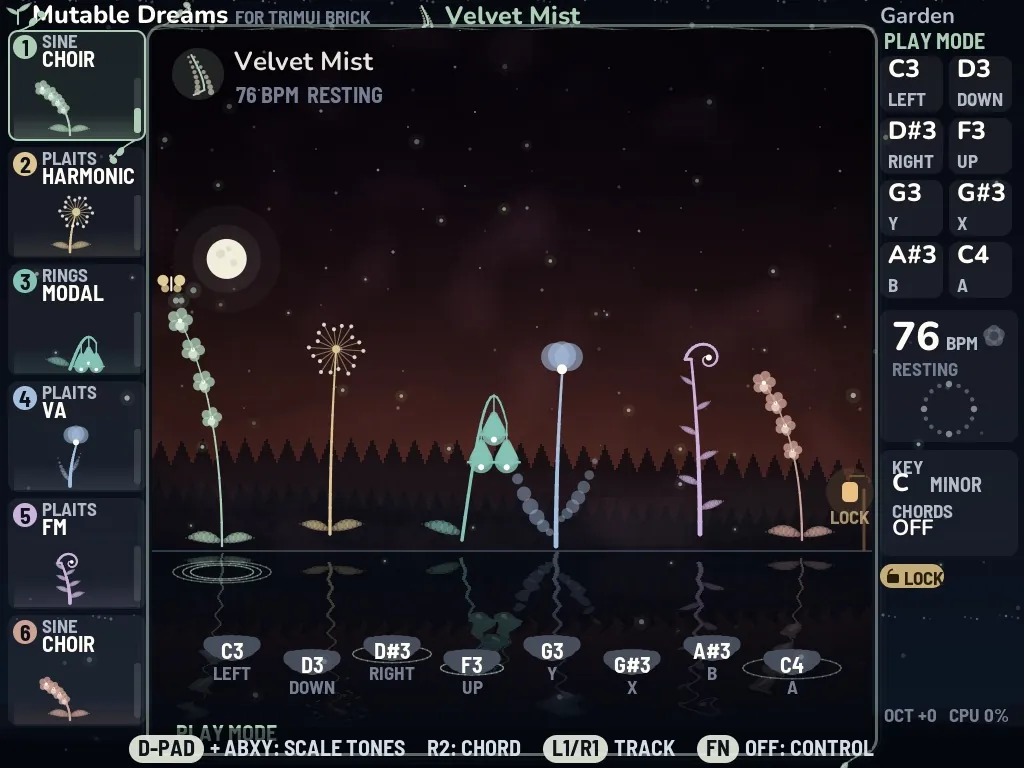
Slide the FN switch, or choose PLAY MODE in the quick bar, and the buttons become notes. The D-pad and A B X Y play eight tones of the Biome's scale, so nothing can sound wrong. R2 adds a chord, L1/R1 choose the track. Eight stepping stones lie over the pond, one per tone, and light up as you play. If the POLY voice is on, you play it: eight voices with all 24 synthesis models of Plaits.

Playing yourself: play mode

04The Sound Lab

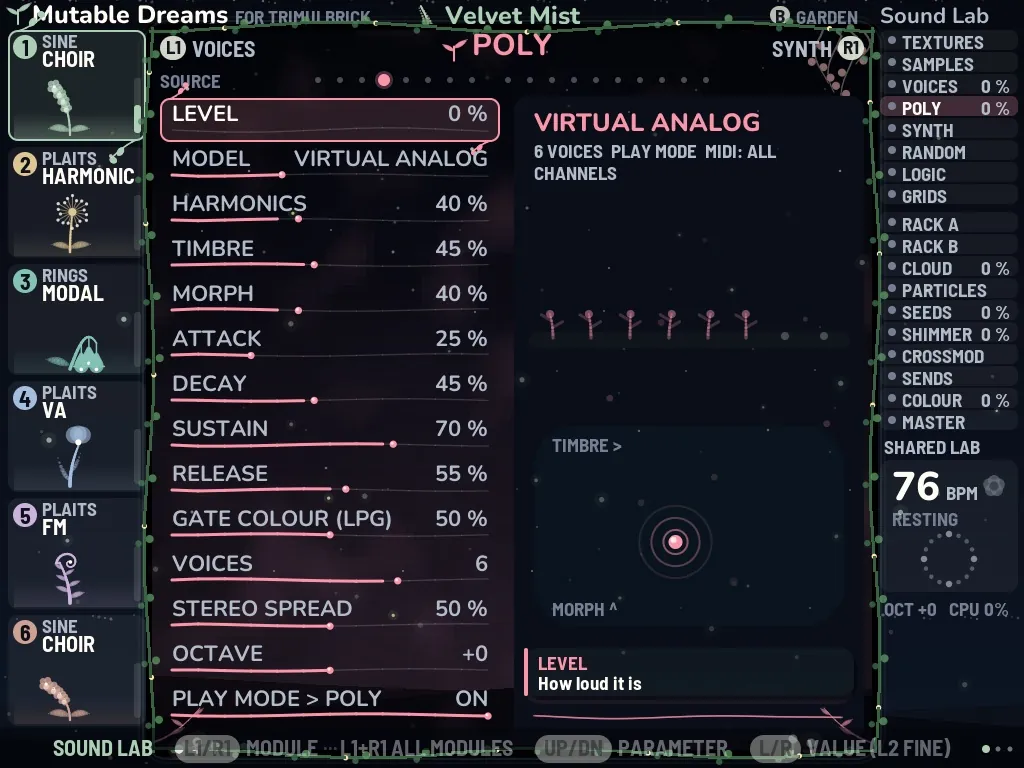
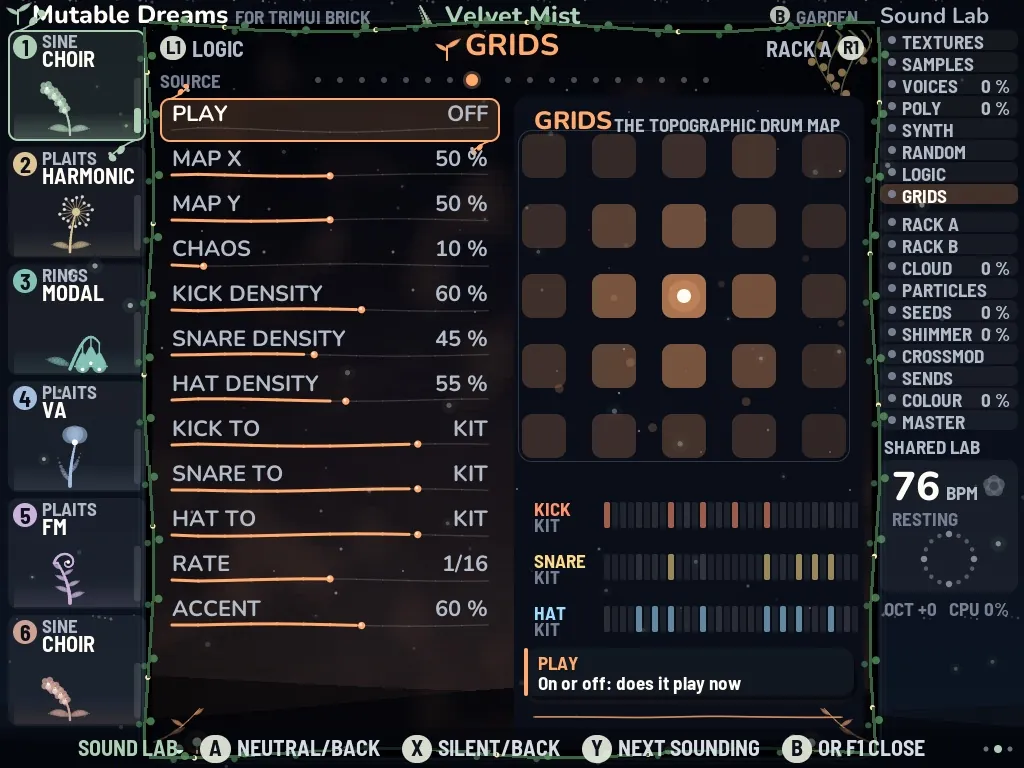
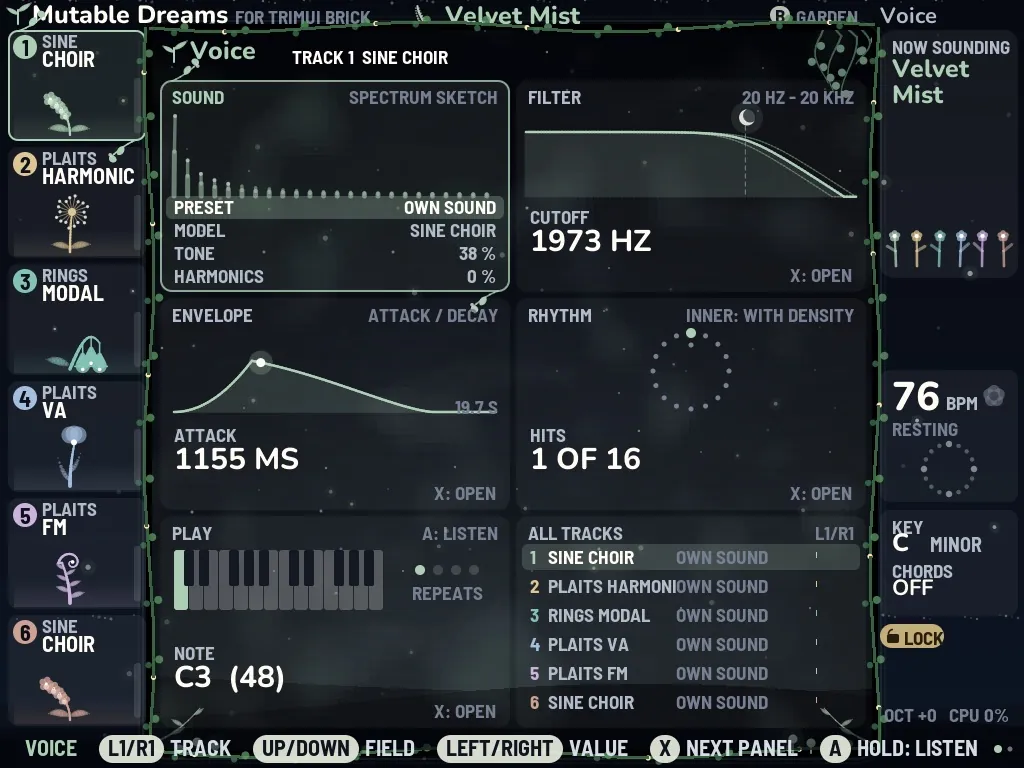
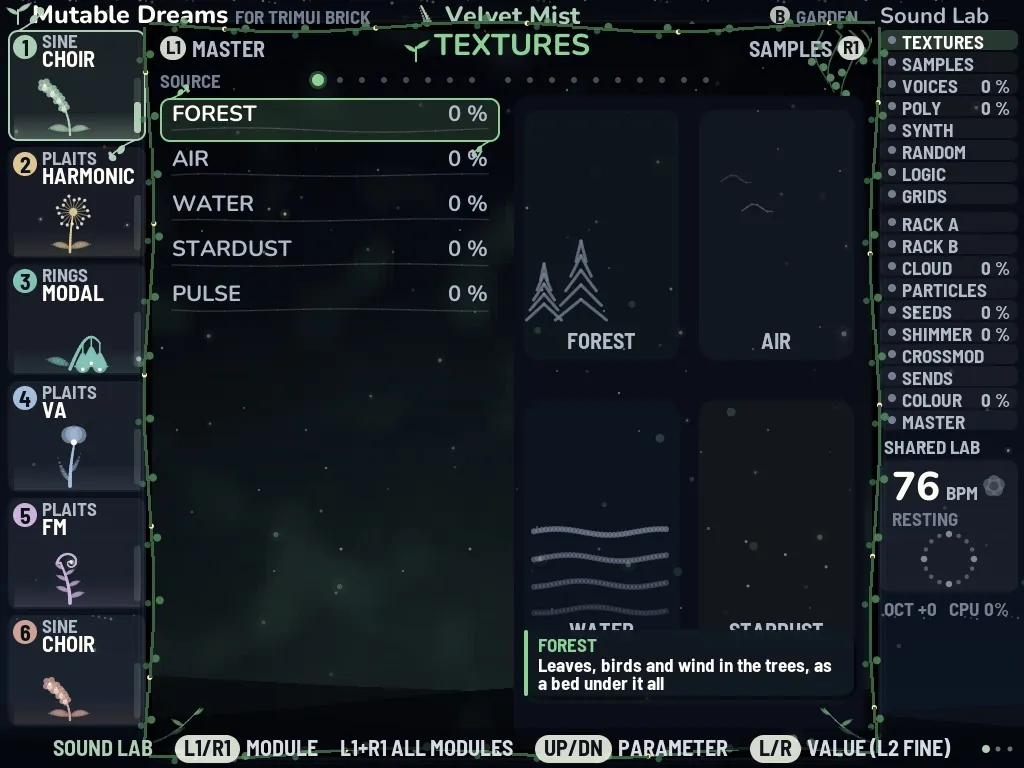
F1 opens the Sound Lab, where the sound itself can be bent, folded and set alight. Its modules stand in two rows, sources and effects, and each draws a live picture of what it is doing. With everything at neutral the sound is exactly that of Mutable Dreams 2.1; nothing can break, because A brings any setting back. X silences a module (the quickest way to hear what an effect adds), Y jumps to the next module that sounds, and L1+R1 together show all modules at once.

TEXTURESSAMPLESVOICESPOLYSYNTHRANDOMLOGICGRIDSRACK ARACK BCLOUDPARTICLESSEEDSSHIMMERCROSSMODSENDSCOLOURMASTER
  • TEXTURES: beds of nature sound (forest, wind, rain, stardust) that start silent.
  • SYNTH: twelve instruments, from just-intonation drones and Shepard tones to a glass harmonica, an aurora pad and a breathy wind flute.
  • LOGIC: music from musical mathematics: tintinnabuli, phasing, Fibonacci, cellular automata, Markov chains, L-systems.
  • GRIDS: Mutable Instruments' topographic drum map, 25 patterns.
  • CLOUD · PARTICLES · SEEDS: grain clouds after Clouds and Beads.
  • MASTER: a sound preset (CLEAN, GENTLE, WARM, LOUD, AIRY), EQ, saturation, compressor, width and limiter.
The Sound LabThe Sound LabThe Sound Lab

05The full views

Beside the garden there are views that each show one thing in full. Reach them from the menu or the quick bar; each shows its buttons at the bottom.

06Worlds

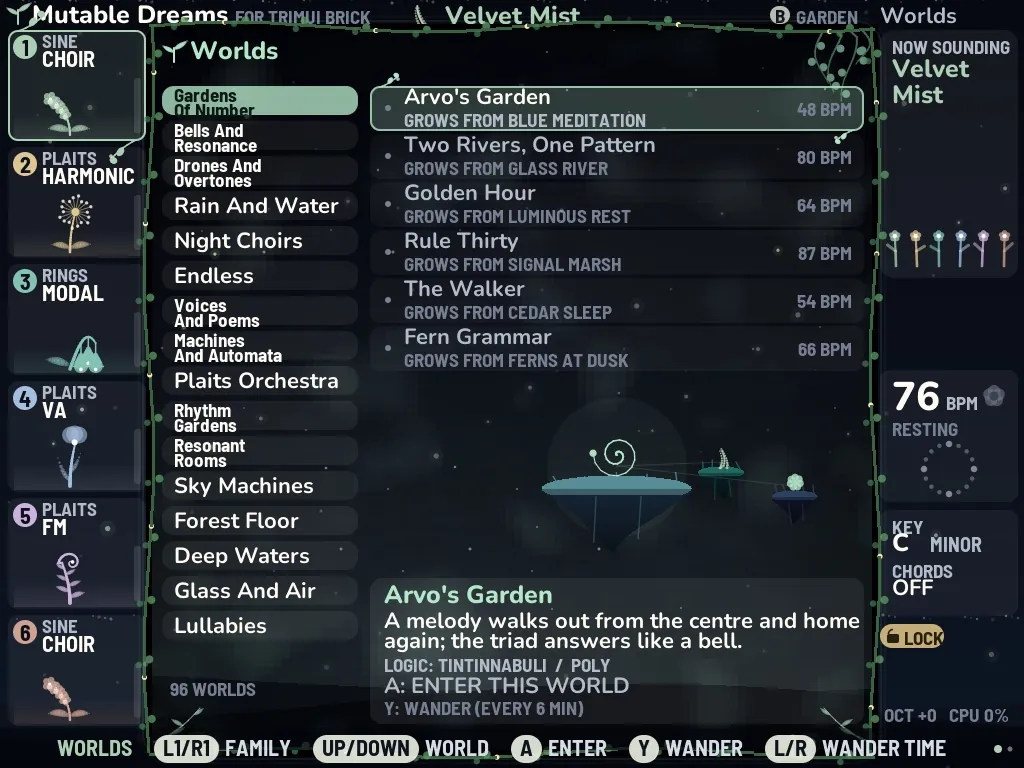
A world is a whole scene: a Biome with its own tempo, dials, Sound Lab, SYNTH, LOGIC and a line of story. There are 96 worlds in 16 families. L1/R1 choose the family, UP/DOWN the world, A enters it, and Y wanders on to the family's next world every few minutes. The worlds are plain text in worlds/worlds.txt: change them or add your own. The Lullabies set the sleep timer themselves.

Gardens of NumberBells and ResonanceDrones and OvertonesRain and WaterNight ChoirsEndlessVoices and PoemsMachines and AutomataPlaits OrchestraRhythm GardensResonant RoomsSky MachinesForest FloorDeep WatersGlass and AirLullabies
[MY FAMILY] Moon Garden
biome  = 89
story  = A song walks out and comes home again.
tempo  = 60
macros = 30 25 40 70
lab    = SHIMMER.MIX 30; TEXTURES.FOREST 20
Worlds

07The playground

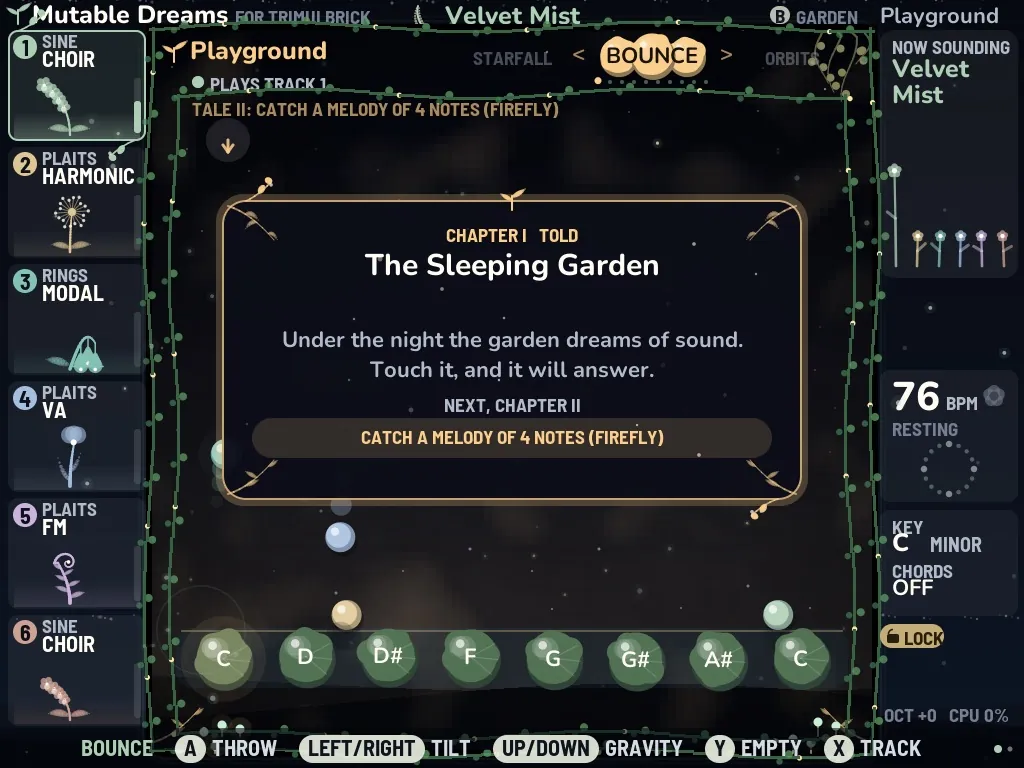
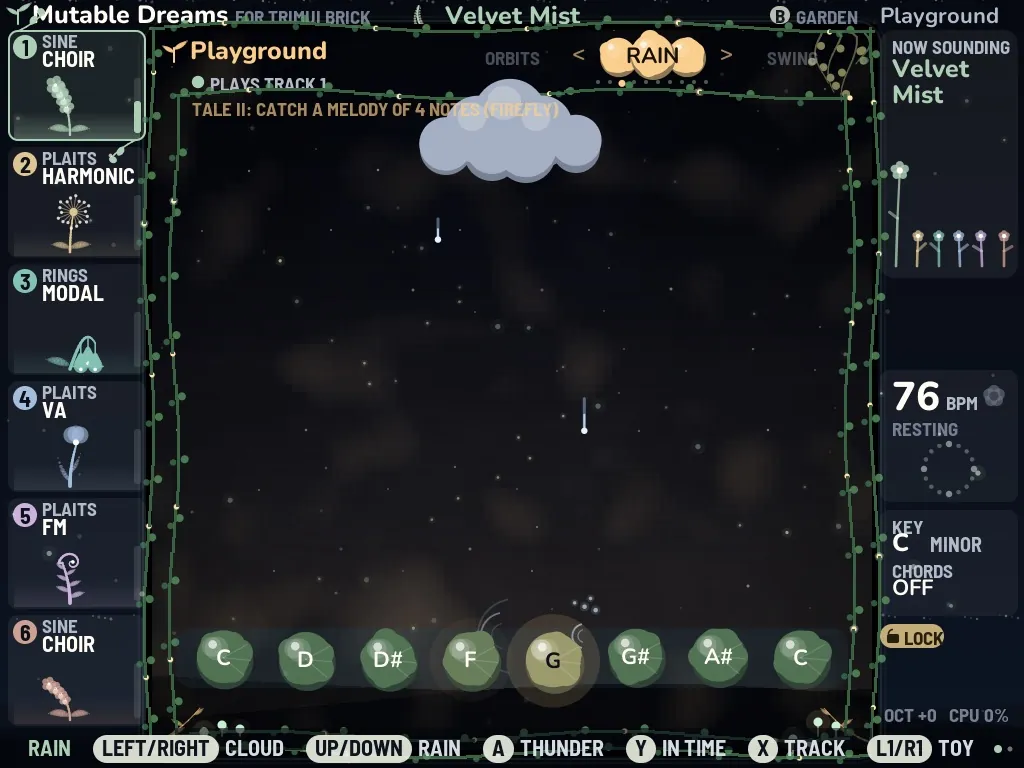
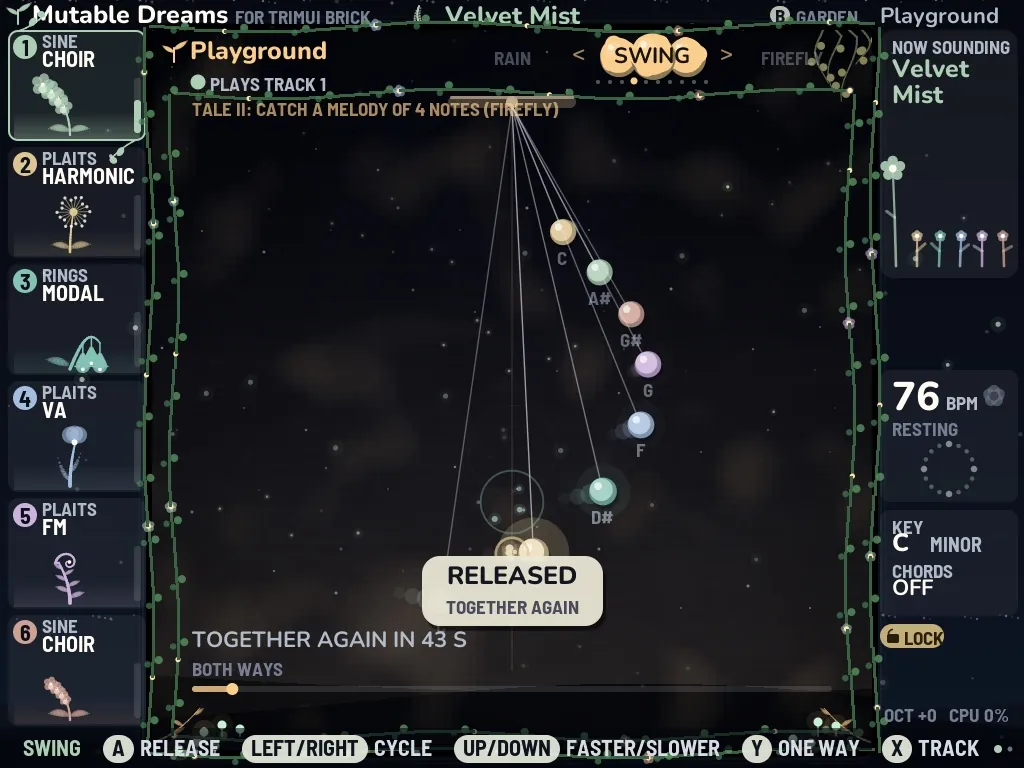
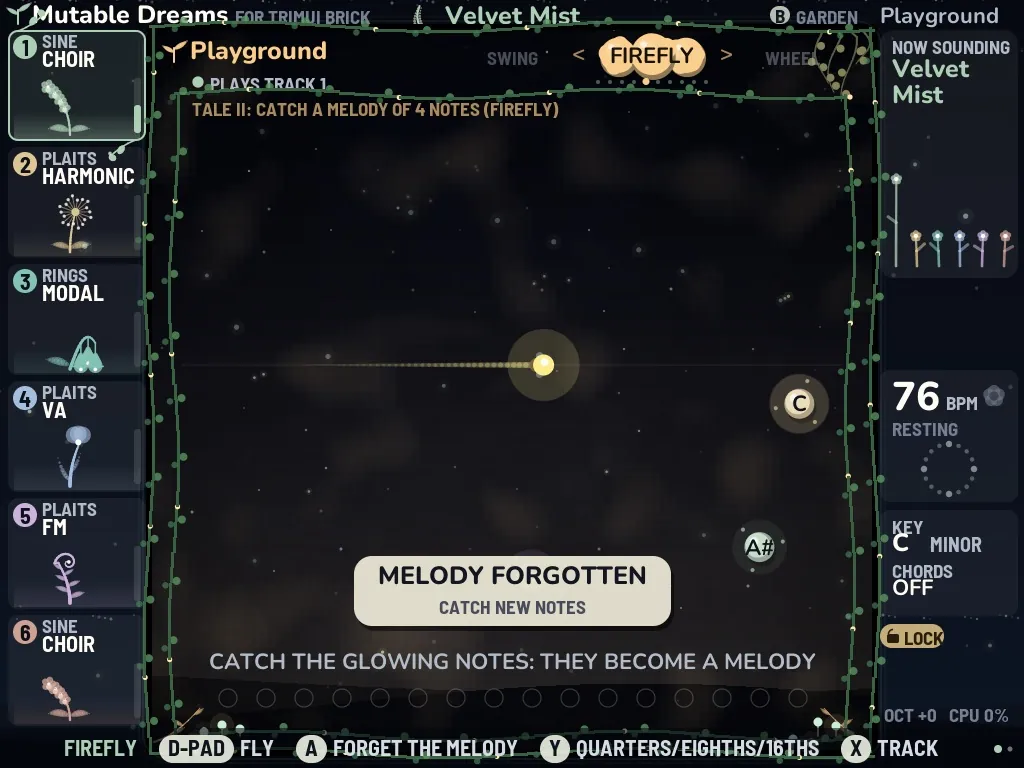
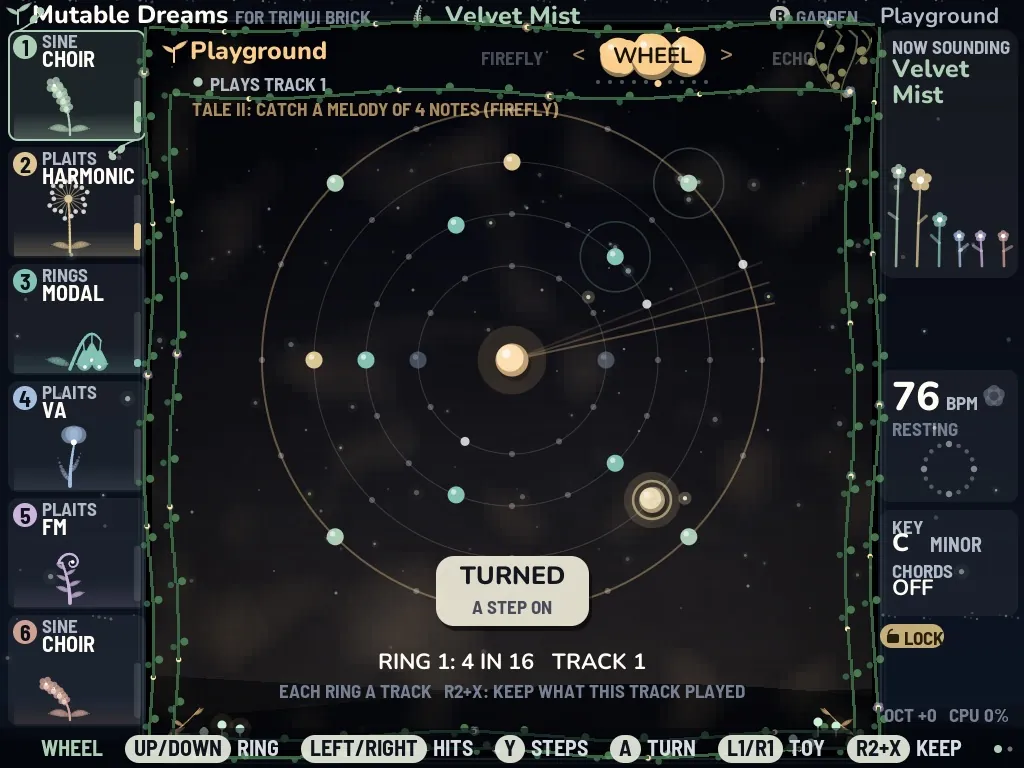
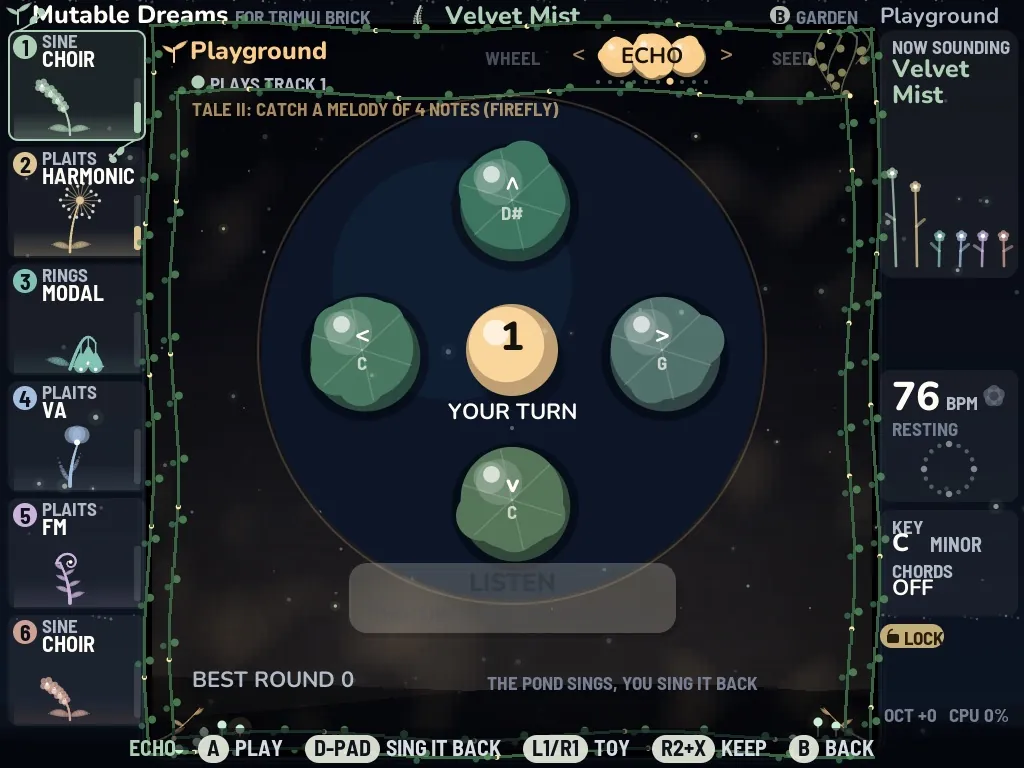
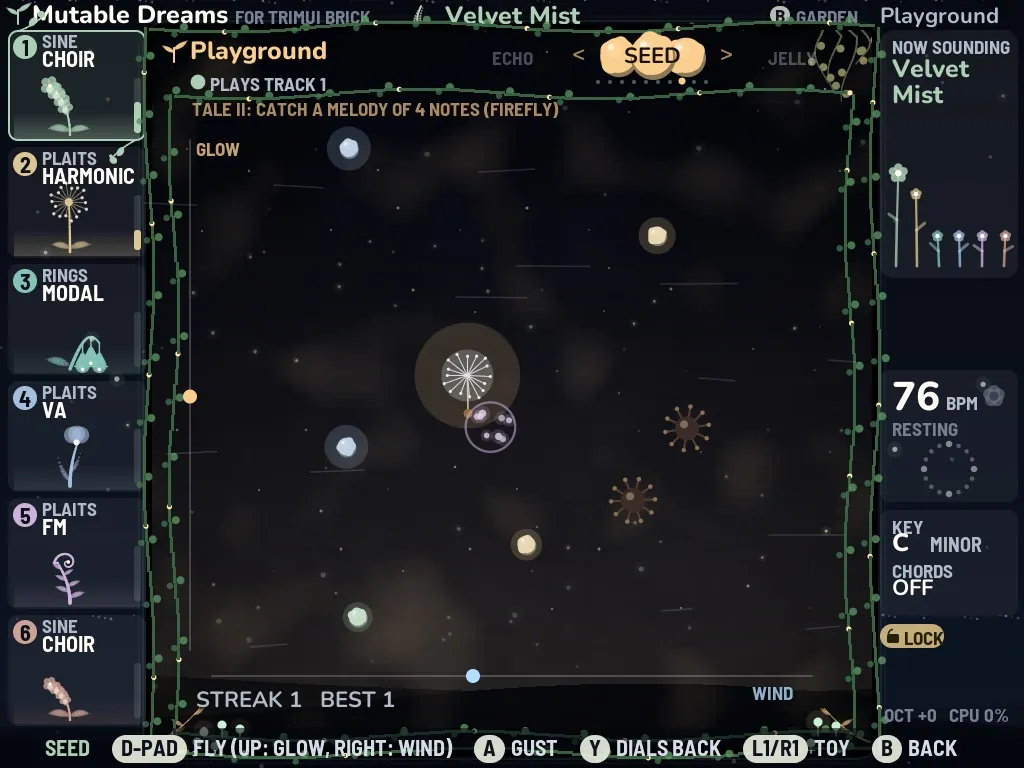
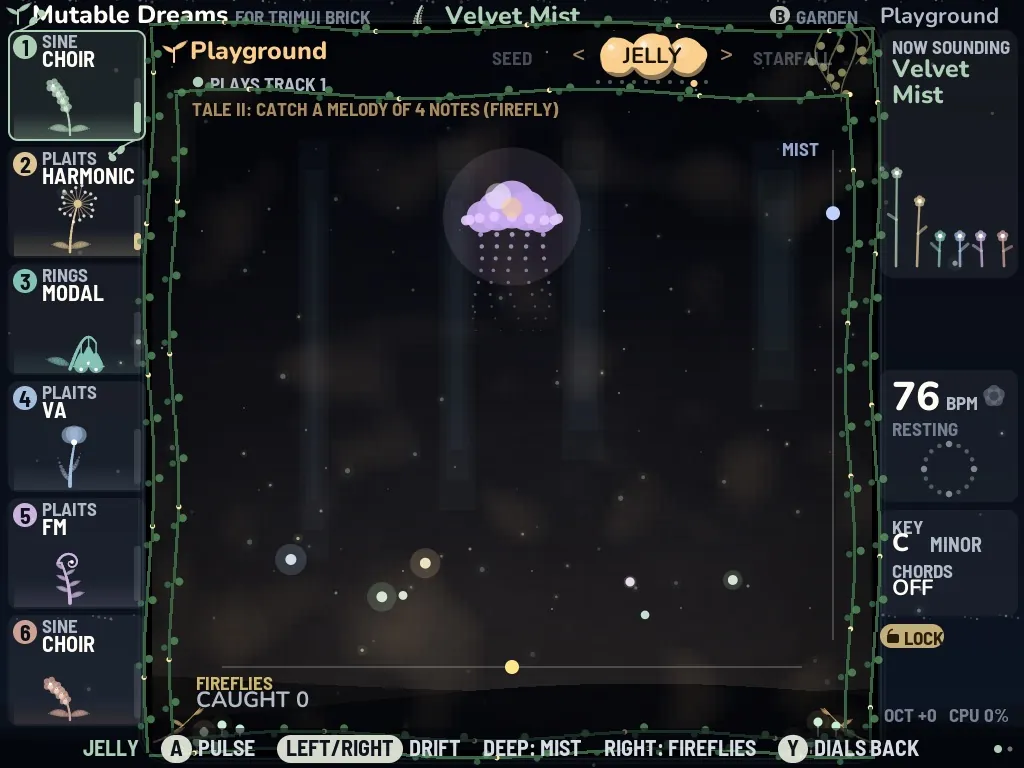
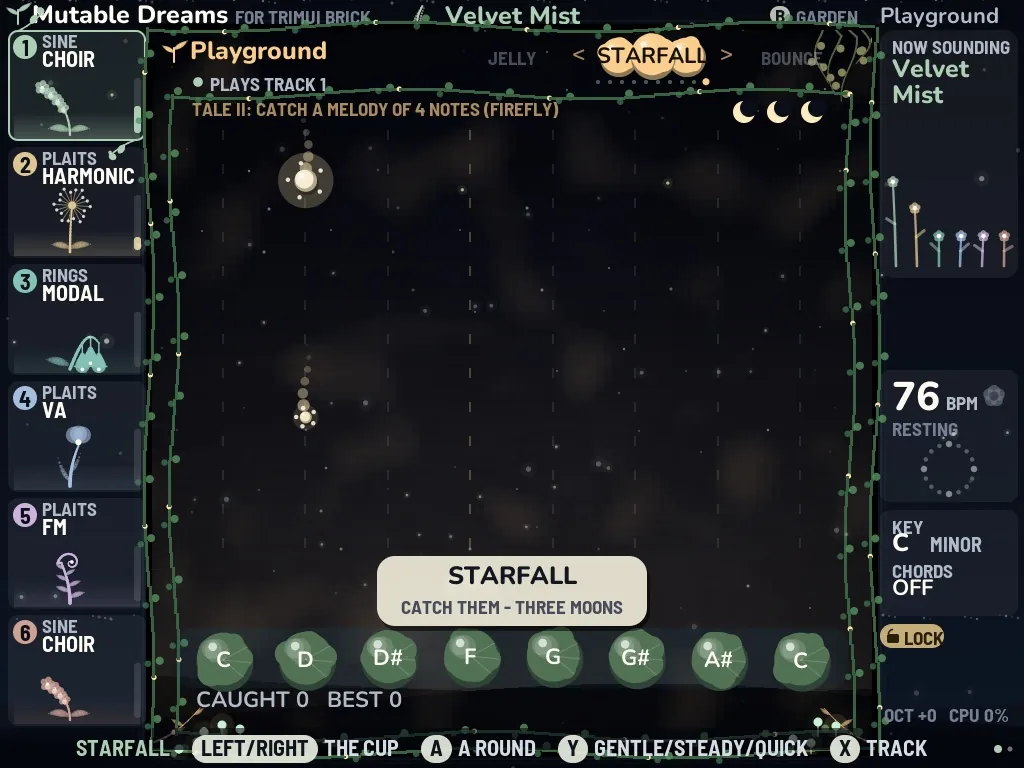
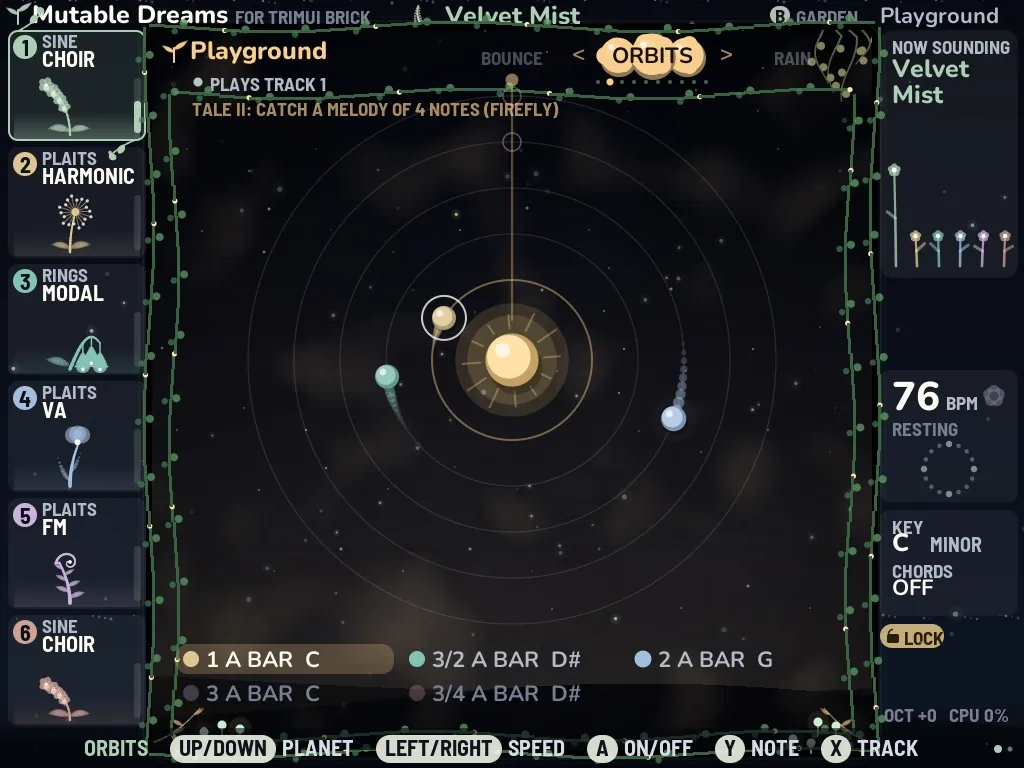
Ten toys make music with you. They always play the chosen track in the Biome's scale, so they always fit. L1/R1 turn the carousel, X chooses the track, and R2 + X keeps what that track played in the last bar as its sequence, so a toy's music stays in the song.

08The dream tale

While you play, a story in eight chapters is told. Each chapter has a few lines and a small deed that leads you somewhere new: the playground, the firefly, keeping a melody, the echo game, the planets, another Biome, the Sound Lab, all the balls at once. When a deed is done, its card rises over the stage. Progress is kept in save/tale.txt.

The dream tale

09Options and settings

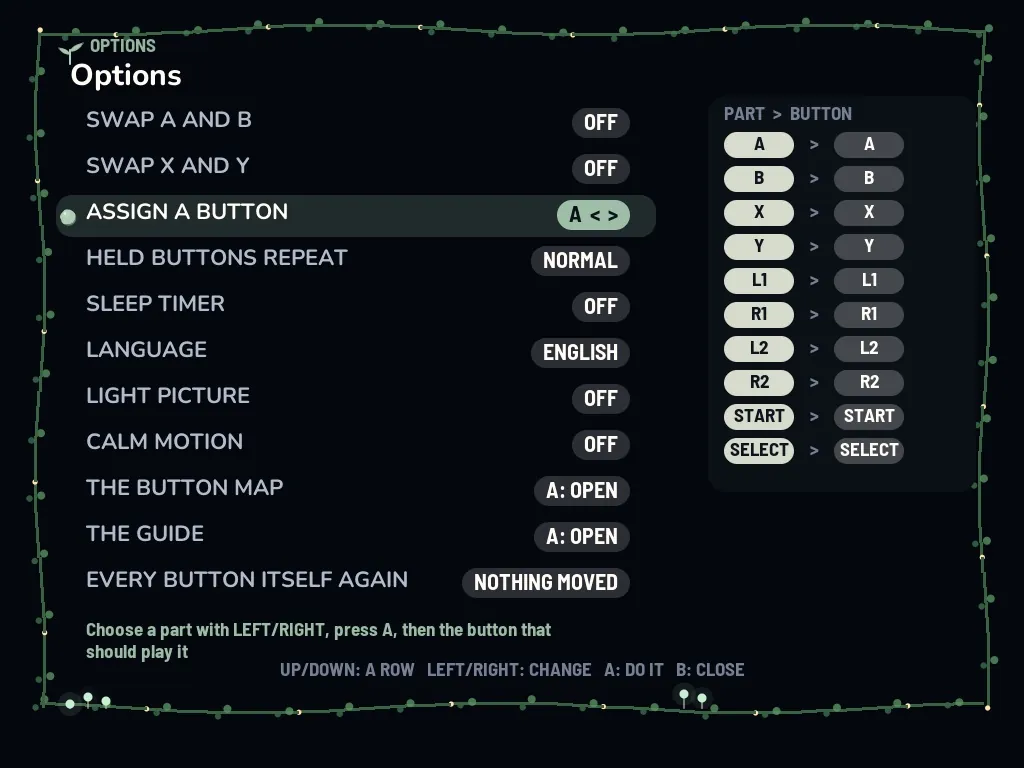
The quick bar has an OPTIONS stone. You can swap A and B or X and Y, assign any part to any button, set how fast held buttons repeat, choose a sleep timer (15 to 90 minutes: the music fades out, the screen rests dark), switch language, light picture and calm motion. Mixed something up? Hold START and SELECT together for three seconds and every button is itself again. Plug in a USB sound card or a USB-C headphone adapter and the sound goes there; a USB keyboard plays POLY over MIDI. Switch files (light.on, calm.on, nosplash.on and more) are listed in the manual.

Options and settings

Made for the buttons in your hands

One program, tuned for each handheld: a lighter picture on the Miyoo, a stage that fits every screen, touch on Android.

Trimui Brick

Knulli · 1024×768

Tested on Brick with earlier builds: 28 fps was measured on 1.5.0. Exact-1.5.9 hardware confirmation is still pending.

Runs on the device

Miyoo Mini Plus

Onion OS · 640×480

Earlier device builds ran at about 15 fps. 1.5.9 requests 20 fps; measured drawing work per frame is 22–30% lower. Exact-build device confirmation is pending.

Runs on the device

Miyoo Mini · Mini Flip

Onion OS · 640×480

The Flip is recognised and speaker audio was confirmed on an earlier build. USB-C adapter audio remains unverified.

Runs on the device

Powkiddy RGB20S

AmberELEC · 640×480

1.5.9 confirmed on the device. Earlier 1.5.7 measurements: 20 fps and one audio underrun in 60 seconds.

Runs on the device

Anbernic H700

Knulli · RG35XX, RG40XX, CubeXX, RG34XX

Community test: the launcher fits the stage to the screen. Not yet run on a real H700.

Community test

Android

Phones, tablets, gamepads

1.5.9 confirmed on a device. Touch buttons beside the stage, several fingers at once; or play with a gamepad.

Runs on the device

Linux PC

x86_64 and aarch64

Packages built for x86_64 and aarch64, with a “Dream Garden” start-menu entry. No real-PC run confirmed in this review; feedback welcome.

Feedback welcome

The buttons

Mutable Dreams is made for the Brick's buttons. Two rules matter most:

  • B always goes one step back, the way you came.
  • Holding B takes you home to the garden from anywhere.
The buttons
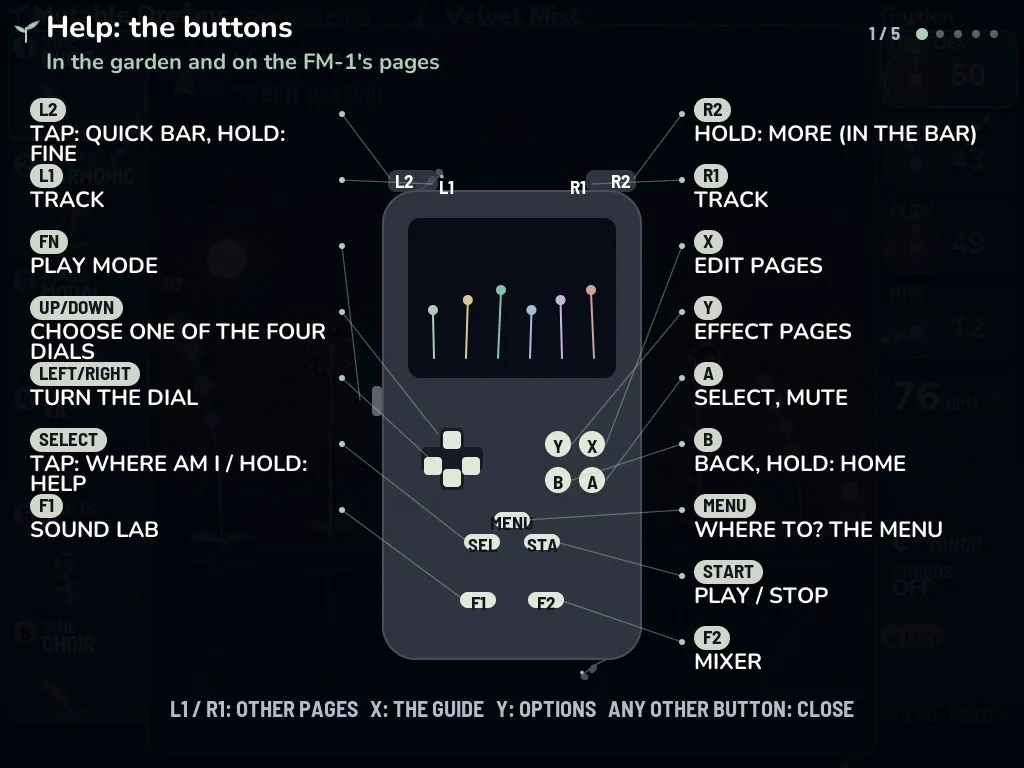
Hold SELECT and the help appears: a drawn Brick shows every button and what it does. L1/R1 turn through five pages.
ButtonIn the gardenWith R2 held
UP DOWNchoose one of the four dialsthe track's sound model
LEFT RIGHTturn the dial (L2 held: fine)another Biome
L1 R1choose a trackoctave
Aselect, mute a trackLOCK: keep the Biome
Bback; hold: homeFREEZE everything
Xedit pagesenvelope
Yeffect pagesglobal
STARTplay / stoprecord
SELECTtap: where am I? · hold: helphold 1 s: save everything
MENUwhere to? the menudream map
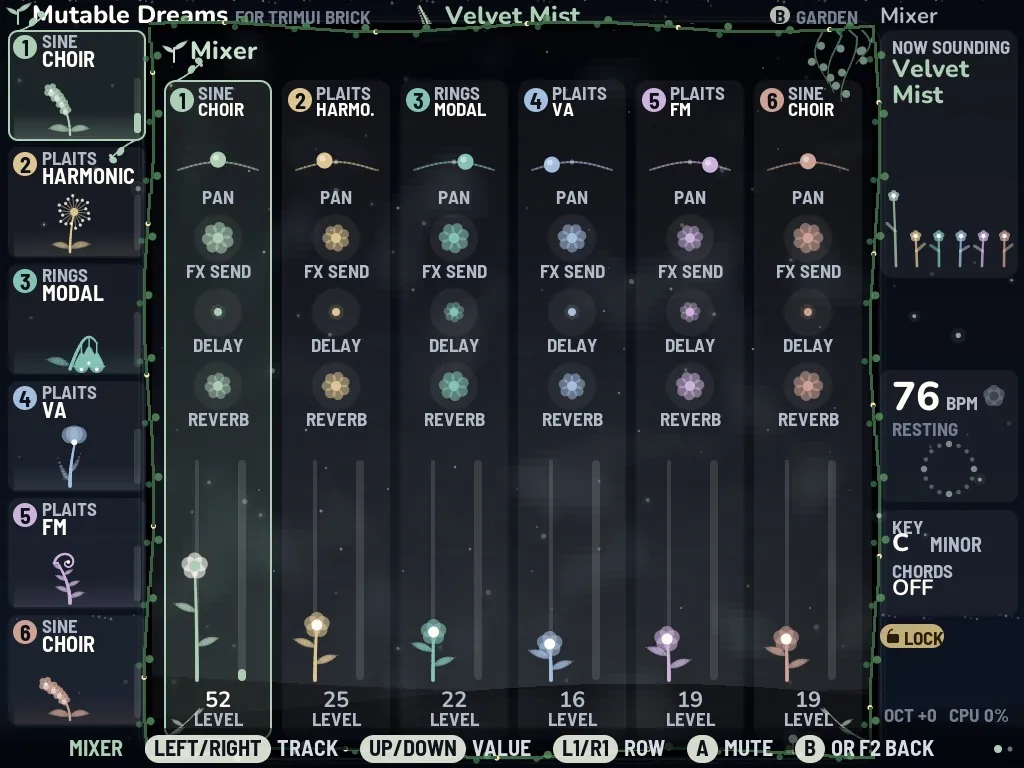
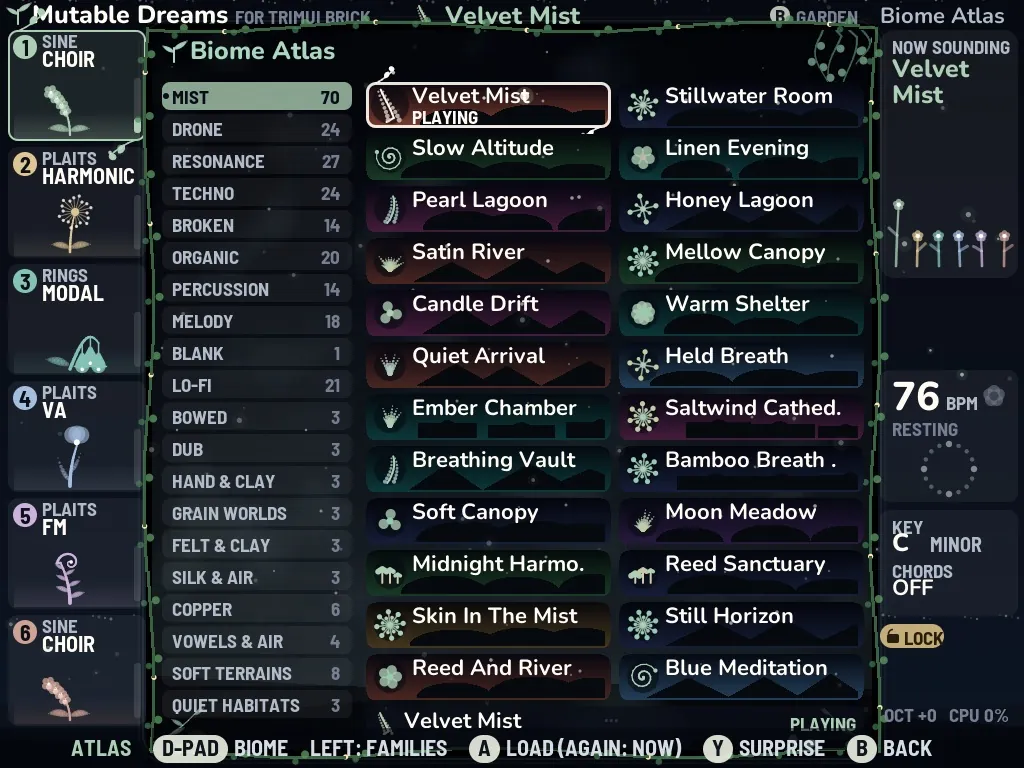
F1 · F2Sound Lab · mixer· Biome atlas
L2tap: quick bar
FNswitch: play mode, the buttons play notes

No MENU key? One tap on SELECT.

On the Miyoo handhelds, the RGB20S, the H700 and Android gamepads, tap SELECT for the menu with every place, the options and Quit (press UP once, then A). Hold SELECT for the help. Tap L2 for the quick bar, which also switches play mode on and off. The hint line at the bottom names SELECT MENU right after the place's name.

Touch on Android

MUTABLE DREAMS L2L1 R1R2 SELECTSTARTMENU AB Y X

The Brick's buttons lie beside the stage: D-pad, L1, L2 and SELECT on the left; A B X Y, R1, R2, START and MENU on the right. Several fingers at once and sliding work, so held buttons and combinations behave as on the device. The back key is B. Press a gamepad button and the touch buttons step aside for a larger stage.

Ideas for making music

Seven small recipes, from falling asleep to playing live.

A quiet evening

A quiet evening

  1. Open Worlds and enter Kelp Cathedral from Deep Waters.
  2. Turn MIST up and FIREFLIES down a little.
  3. Press Y to wander. Every few minutes the garden glides into the next world.
A rhythm of your own

A rhythm of your own

  1. On the playground, go to the Wheel and set three rings, for example 3 in 8, 5 in 16 and 4 in 16.
  2. Choose the track with X, then keep the pattern with R2 + X.
  3. Open GRIDS in the Sound Lab to add kick, snare and hi-hat.
A melody that stays

A melody that stays

  1. Catch four or five notes with the Firefly.
  2. Listen for a few bars, then keep them as a sequence with R2 + X.
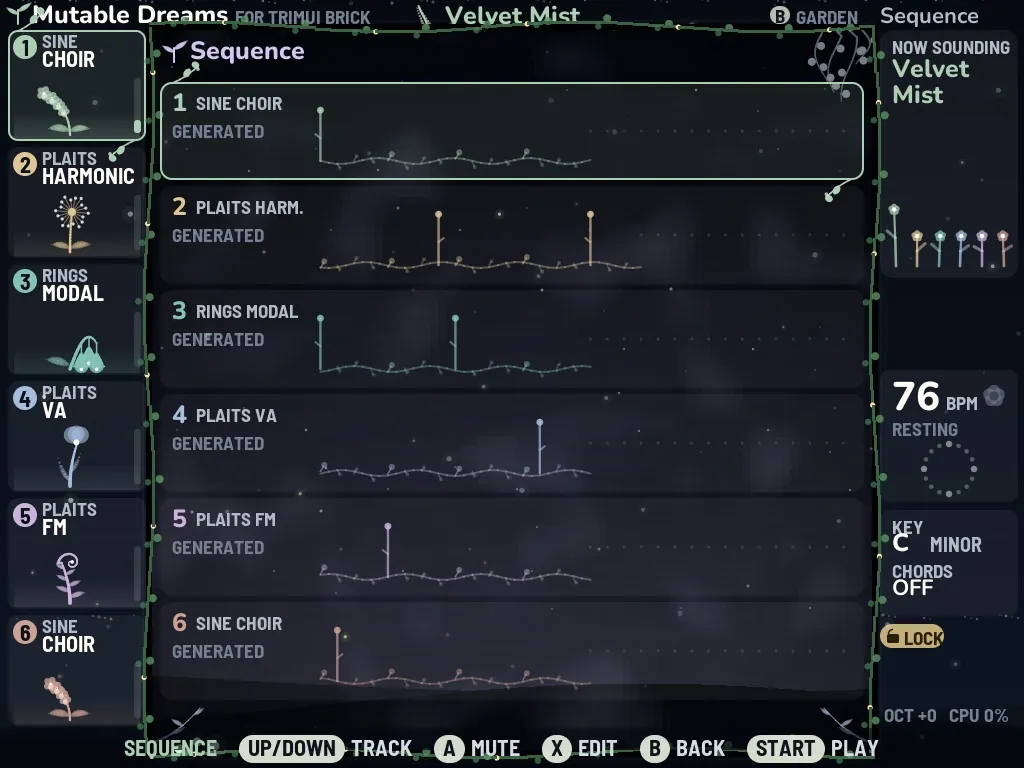
  3. Refine it in the Sequence with X, for example with chance and gate.
Voices in the garden

Voices in the garden

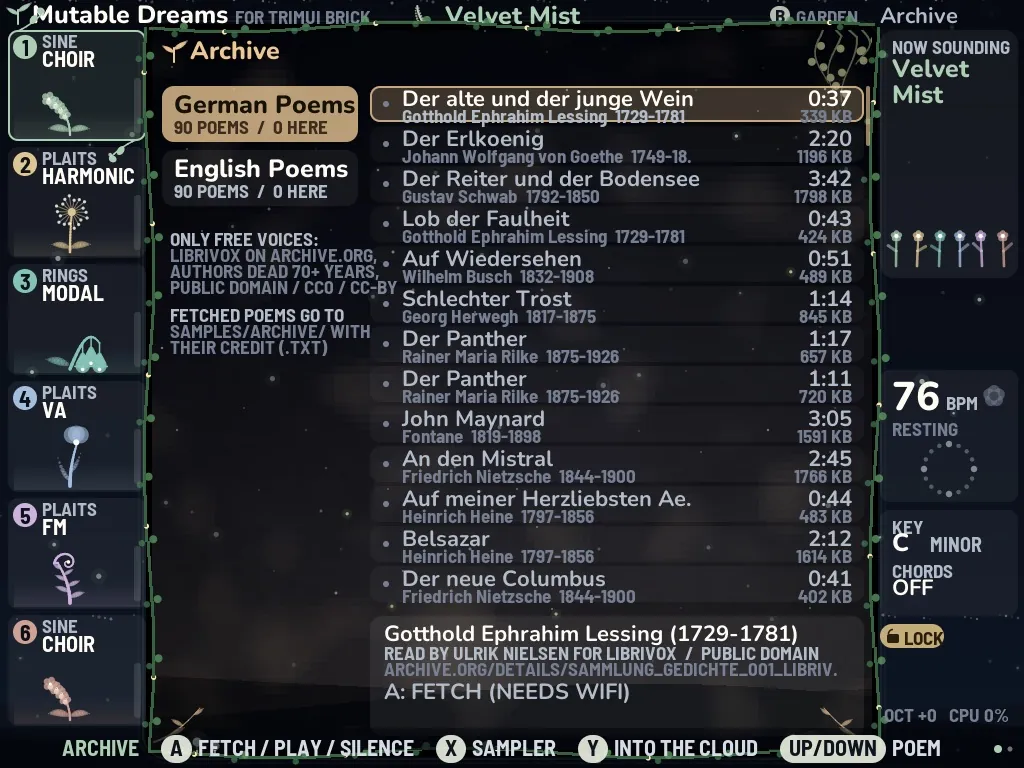
  1. Fetch a poem in the Archive (needs WiFi).
  2. Send it to VOICES with A, and choose FRAGMENTS or GRAINS.
  3. Add a little SHIMMER, and the words float through the garden.
Falling asleep

Falling asleep

  1. Enter one of the Lullabies in Worlds: it sets the sleep timer itself. Or choose 15, 30, 60 or 90 minutes in the options.
  2. Turn GLOW down.
  3. In the last minute the music fades out, and the screen rests dark until a button wakes it.
Playing live

Playing live

  1. Switch on play mode: the FN switch on the Brick, or PLAY MODE in the quick bar (L2).
  2. The D-pad and A B X Y now play the Biome's scale, so nothing can sound wrong; L1/R1 change the track.
  3. Let a sequence run with START and play over it; hold R2 for chords.
On the go

On the go

  1. Tap SELECT for the menu and pick a place; on a phone, use the touch buttons.
  2. Tap L2 for the quick bar: PLAY MODE, LIGHT PICTURE and DEUTSCH / ENGLISH are at its end.
  3. To stop, tap SELECT, press UP once to reach Quit, then A. The Sound Lab and your settings are kept.

Download

Version 1.5.9 · every file is in the GitHub release. Checksums are in SHA256SUMS.txt.

ForFile
Trimui Brick (Knulli)Mutable-Dreams-Brick-1.5.9.zip
Miyoo Mini Plus (Onion OS)Mutable-Dreams-Miyoo-Mini-Plus-Onion-1.5.9.zip
Miyoo Mini · Mini Flip (Onion OS)Mutable-Dreams-Miyoo-Mini-Onion-1.5.9.zip
Powkiddy RGB20S (AmberELEC)Mutable-Dreams-RGB20S-AmberELEC-1.5.9.zip
Anbernic H700 (Knulli) · Community testMutable-Dreams-Anbernic-H700-Knulli-1.5.9.zip
Android (APK)Mutable-Dreams-Android-1.5.9.apk
Linux PC x86_64Mutable-Dreams-Linux-OS-x86_64-1.5.9.zip
Linux aarch64Mutable-Dreams-Linux-OS-aarch64-1.5.9.zip
Manual (English)Mutable-Dreams-Manual-EN.pdf
Manual (Deutsch)Mutable-Dreams-Handbuch-DE.pdf
Source (GPL-3.0)Mutable-Dreams-Handheld-Source-1.5.9.zip
SHA-256SHA256SUMS.txt

All files and checksums on GitHub

Installing

You can copy a new version over an older one: your saved Biomes, settings, tale progress and samples stay as they are.

Trimui Brick (Knulli)
Unpack the zip. Copy Mutable Dreams.sh and the folder mutabledreams into roms/ports on the SD card. Update the game list in the Knulli menu and start Mutable Dreams from Ports.
Miyoo Mini Plus, Mini, Mini Flip (Onion OS)
Unpack the zip for your device and copy its folders App and Roms onto the SD card, merging them with the ones there. Start Mutable Dreams under Ports or Apps. MIYOO.txt beside the program lists switch files (for example fps15.on).
Powkiddy RGB20S (AmberELEC)
Unpack the zip into roms/ports, update the game list and start Mutable Dreams under Ports.
Anbernic H700 (Knulli) – community test
Copy Mutable Dreams.sh and mutabledreams into roms/ports. The launcher reads the screen size and fits the stage to it. If something is wrong, please send mutabledreams/log.txt.
Android
Install the APK. The app keeps its files (saves, your samples, worlds) in Android/data/com.kidbunka.mutabledreams/files. With a gamepad, play as on a handheld; without, by touch.
Linux PC
The Linux package installs the program as Dream Garden, with a start-menu icon. Without a game controller, every hint names the keyboard keys instead.

Questions and help

There is no sound.
Press START: RESTING means the music is stopped. Check the device's volume keys, and if a USB sound card or headphone adapter is plugged in, whether the sound goes there.
I am lost.
Hold B, and you are home. A short tap on SELECT tells you where you are.
The picture stutters.
Switch on LIGHT PICTURE in the quick bar. It also comes on by itself when the stage stays slow. The sound always comes before the picture.
How do I begin the tale again?
Delete mutabledreams/save/tale.txt.
I want everything back as new.
Rename the folder mutabledreams/save. On the next start everything is new, and your old state stays in the renamed folder.
Can I use my own sounds?
Yes: WAV files in mutabledreams/samples (SAMPLES module) and voices as Ogg or WAV in samples/voices (VOICES module).
Does it work with MIDI?
A class-compliant USB keyboard or controller plays POLY when POLY is on; otherwise MIDI channels 1–6 play the six tracks. MIDI only goes in.